
Use a Clash Royale deck builder from a real goal instead of random card swaps
Smart Deck Builder
Universal Deck Builder Workspace
Sample deck readySmart Pack Analysis
Avg Elixir2.9
Avg Level15.1
Cards8/8
Smart Pack Analysis
Smart builder verdict
Clash Brain sampleGrade: 76/100
Universal Deck Builder Workspace2.9 elixir
Deck grade
76
Universal Deck Builder Workspace built around Miner.
Coverage gap
Slow cycle
Patch Slow cycle before changing the win condition.
Cycle fit
2.9 elixir
Heavier deck; defend first, then pressure.
AI pass
Graph
Battle context and card graph scores are merged before Bernard suggests swaps.
Suggested swap: Phoenix -> Musketeer
Keeps a reliable ranged air answer available when flying support keeps stretching the deck.
Suggested swap: Poison -> Fireball
Adds a faster answer to support troops when the deck needs immediate lane control.
Keep the win condition
Keep one clear tower plan, then test whether the support cards cover your weakest matchup.
Strengths
- Air defense 100
- Swarm clear 100
Weaknesses
- Slow cycle
Issues & Improvements
Slow cycle
Slow cycle
Musketeer gives steadier ranged air coverage when Phoenix keeps getting pulled into bad trades.
Smart Swaps
2

Phoenix→Musketeer
Musketeer gives steadier ranged air coverage when Phoenix keeps getting pulled into bad trades.
Confidence 78%Build now
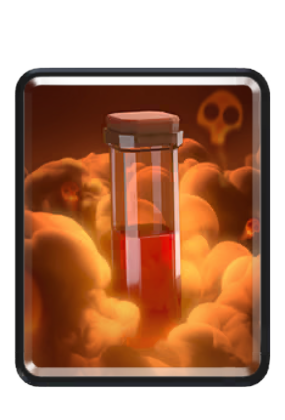

Poison→Fireball
Fireball creates a faster answer to support troops when Poison is too slow for the matchup.
Confidence 64%Build now
Tower
Common
Card library
Ready to test swaps.
Library minimized. Slot rules stay active.
Quick Summary
What this explainer answers
These bullets summarize what a player can do here before opening the app.
Analyze the current list before rebuilding around a new deck idea
Compare deck maker, deck generator, and deck analyzer jobs in one flow
Move from deck advice into battle analysis when the list is not the real issue
Live Product
What the page is anchored to today
These are the live product paths that matter most.
Deck workflow
A better Clash Royale deck builder starts with the job it needs to do
The live deck workspace shows the deck job before the swap: win condition, cycle, defensive coverage, spell fit, and upgrade pressure.
Visitors see a real coaching workflow, not a card randomizer.
Open deck workspaceAnalyzer handoff
Some deck problems are actually battle-review problems
When the same deck loses because of overcommitment or weak timing, deck analyzer thinking sends the player into battle analysis before rebuilding.
Deck-builder focus
One main page for deck builder, deck maker, and deck analyzer intent
Supporting pages stay linked, but this page gives players one clear place to start.
01Plan-based usage
Build deck
Edit a live list, load recent decks, and run deck analysis against the cards you actually use.
02Plan-based usage
Generate deck
Turn a prompt into a fresh deck build instead of relying only on static meta lists.
03Plan-based usage
Smart upgrades
See which card levels matter most next, based on your live card collection and current decks.
04Plan-based usage
Clan-war decks
Generate four no-overlap war decks inside the same workspace instead of leaving for a separate tool.
05Plan-based usage
Meta recommendations
Browse account-aware ladder recommendations instead of generic decks with no player context.
06Upgrade path
Higher-tier depth
Some recommendation detail gets deeper on higher tiers, especially for richer reasoning and matchup-aware guidance.
Why It Matters
Why this page has to beat instant deck generators and deck makers
Competitors promise one-click decks. Clash Coach has to win by explaining the deck, the weakness, and the next test like a coach would.
- 01Start from the player's actual problem, not only the current meta
- 02Explain the tradeoff behind each replacement
- 03Route players into battle analysis when execution is the real issue
Playbook
What you need to know
Keep the steps clear enough to use before the next match.
01Step 1
What a Clash Royale deck builder should help you solve
A deck builder is useful when you have a specific decision to make. You might need a fresh list for ladder, want to repair a deck that keeps losing to air units, or need to know whether a card swap will create a new weakness. Starting with that question is more reliable than adding your favorite cards until the list looks complete. The basic deck-building job is to create a complete eight-card list with a clear tower plan, supporting roles, defensive answers, spells, and a cycle you can play comfortably. A tool can organize those checks, but you still need to judge whether the proposed deck fits your collection, card levels, and experience.
- Name the deck’s primary win condition or tower-damage plan.
- Decide how the deck will defend before adding extra support cards.
02Step 2
Build a deck around your cards and goal
The phrase “Clash Royale deck builder based on my cards” usually means you do not want an abstract list that depends on cards you have not unlocked or cannot reasonably upgrade. Start by bringing your real card context into the decision. Then describe the goal in plain language, such as a balanced ladder deck with stronger air defense or a faster cycle around a card you already play. Your goal should include a constraint when possible. “Make a deck” is vague; “improve my current deck’s air defense without removing its win condition” gives the builder a better direction. If you already have a deck you enjoy, ask for a repair or comparison rather than replacing everything at once.
- Use your current collection instead of assuming every card is equally available.
- Mention the win condition you want to keep or test.
03Step 3
Deck maker, deck generator, or deck analyzer?
These labels overlap, but they describe different jobs. A deck maker helps you assemble or edit a list. A deck generator creates a new starting point from a prompt or set of constraints. A deck analyzer examines a list you already use and identifies structural issues before you rebuild it. Use analysis first when you already have a deck and do not know what is wrong. The current Clash Coach deck workflow checks areas such as archetype, curve, strengths, weaknesses, cycle, defensive coverage, and spell fit. It can then move into suggested swaps or a builder test. That separation matters because a losing session is not automatically proof that the deck needs a new card.
- Choose deck analysis when you want to understand an existing list.
- Choose generation when you need a new starting point from a clear goal.
04Step 4
A practical workflow for building and testing
Begin with the smallest useful input. Load your current deck or enter the cards you actually want to use. If the workspace supports player context, add your public player tag as directed by the product. Then state the problem in one sentence and run the analysis or generation flow that matches it. When the tool suggests a swap, read the reason before accepting it. Every replacement changes more than one matchup: it can affect cycle, spell coverage, air defense, counterpush strength, or the amount of elixir you need to defend. A useful recommendation should make the tradeoff clear enough for you to test deliberately.
- Load or edit the real eight-card list before asking for changes.
- Write one goal, such as improving air coverage or reducing a slow cycle.
05Step 5
Mistakes that make deck builders less useful
The most common mistake is treating a generated deck as a guarantee. A deck can have sensible roles and still feel poor if its cards are underleveled, unfamiliar, or mismatched with your timing. The opposite mistake is changing several cards after every loss, which removes the evidence you need to tell whether any change helped. Another mistake is optimizing a visible statistic while ignoring the deck’s actual job. A lower average elixir cost is not automatically better, and adding more defensive cards can leave the deck without a reliable way to pressure a tower. Evaluate the complete plan: how you start attacks, defend efficiently, cycle back to key answers, and convert a surviving defense into pressure.
- Do not copy a recommendation without checking whether you can play the deck.
- Do not replace the win condition before checking support and defensive gaps.
Proof
See it in action
A few practical ways this page connects to the app.
01
Coach-style tradeoffs
Every deck analyzer or deck maker recommendation should explain what gets stronger and what gets weaker.
The advice feels useful instead of generated.
02
Product path
The page shows the live deck workspace capture and routes users into the builder, deck analysis, and battle analysis.
Visitors can build, test, and decide whether deeper battle-history coaching is worth starting.
Supporting Pages
Related tools and guides
Use these when the next step is deck analysis, battle review, upgrades, or matchup prep.
Deck Workspace
Open the live deck workspace for building, analyzing, and testing one swap.
Deck Analysis
Check the current list before making broader changes.
Smart Upgrades
See the card-priority page inside the deck workspace.
Clan War Decks
Open the supporting war-decks page inside the same workspace.
Meta Decks
See account-aware deck recommendations inside the same deck workflow.
How to improve at Clash Royale
Check whether the deck issue is really part of a broader improvement loop.
Questions before you start
Can a Clash Royale deck builder make a deck based on my cards?+
Clash Coach’s deck workflow is designed to account for your available cards, current deck context, and upgrade pressure. Add your real card context and describe the goal you want the deck to meet. Review the result as a recommendation to test, not a guarantee of performance.
What is the difference between a deck builder and a deck generator?+
A deck builder usually lets you create or edit a list, while a deck generator creates a starting deck from a prompt or constraints. Clash Coach combines building, generation, and analysis in the same deck workflow so you can move from a new idea to a tested list.
Should I analyze my current deck before generating a new one?+
Usually, yes, when you already have a deck you understand. Analysis can show whether the problem is structural before you discard a list that may only need one change. Generate a new deck when your current plan is unclear or you want a separate starting point.
What makes a good Clash Royale deck?+
A useful deck has a clear way to damage towers, enough defensive answers for the situations you face, workable spell coverage, and a cycle you can manage. It should also fit your available cards, levels, and ability to execute the plan.
When should I use battle analysis instead of a deck builder?+
Use battle analysis when repeated losses appear to come from timing, overcommitment, missed defensive responses, or poor elixir decisions. Use deck analysis when the list itself has a recurring structural weakness. If both are involved, review the battle first and then test one deck change.